

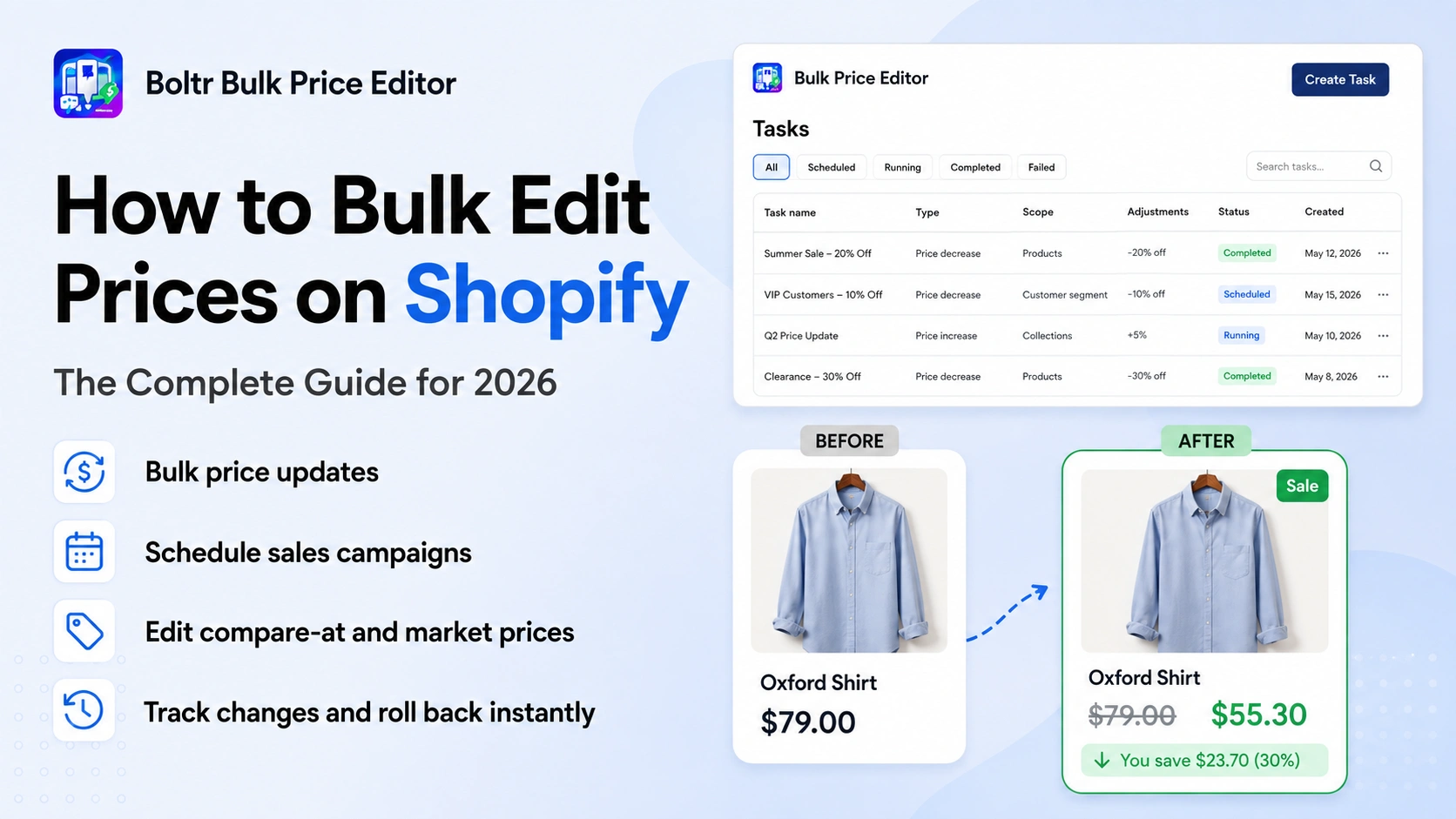
How to Bulk Edit Prices on Shopify: The Complete Guide for 2026
Managing product prices sounds simple when your Shopify store has only a handful of products. But once your catalog grows to dozens, hundreds, or thousands of products and variants, changing prices one by one can quickly become a repetitive and risky job.
Whether you are preparing a seasonal sale, increasing prices because of higher costs, updating compare-at prices, changing prices for selected collections, or managing international market pricing, the goal is the same: make accurate price changes quickly without spending hours inside individual product pages.
For merchants searching for an easier way to bulk edit prices on Shopify, Boltr Bulk Price Editor provides a focused workflow for creating, scheduling, tracking, and reversing bulk price changes from one Shopify admin app.
Quick answer: Use Boltr Bulk Price Editor to select the products or collections you want to update, choose the price change, run it immediately or schedule it, and use task logs or rollback when needed.
Why Bulk Price Editing Matters for Shopify Stores
Pricing changes are rarely a one-product task. Merchants often need to update an entire collection, a group of variants, sale items, products with a specific tag, or even the whole store at once. The bigger the catalog becomes, the more valuable a reliable Shopify bulk price editor becomes.
Shopify includes native bulk editing tools, but merchants running frequent campaigns may still want a more purpose-built workflow for price automation, scheduling, sale timing, rollback, and repeatable pricing rules. Boltr is designed specifically around those price-management jobs.
Common situations where bulk price editing can save significant time include:
- Launching a storewide sale without changing every product manually.
- Increasing or decreasing prices across a collection by a percentage or fixed amount.
- Updating compare-at prices so sale pricing is displayed correctly.
- Scheduling Black Friday, Cyber Monday, holiday, clearance, or flash-sale pricing in advance.
- Adjusting prices for selected products, variants, collections, tags, or sale filters.
- Managing market-specific or international prices from the same pricing workflow.
- Restoring previous prices after a campaign ends or correcting an accidental price change.
Start with Boltr Bulk Price Editor
Plan Your Next Shopify Sale Without the Manual Work
The Easy Way to Bulk Edit Prices on Shopify with Boltr
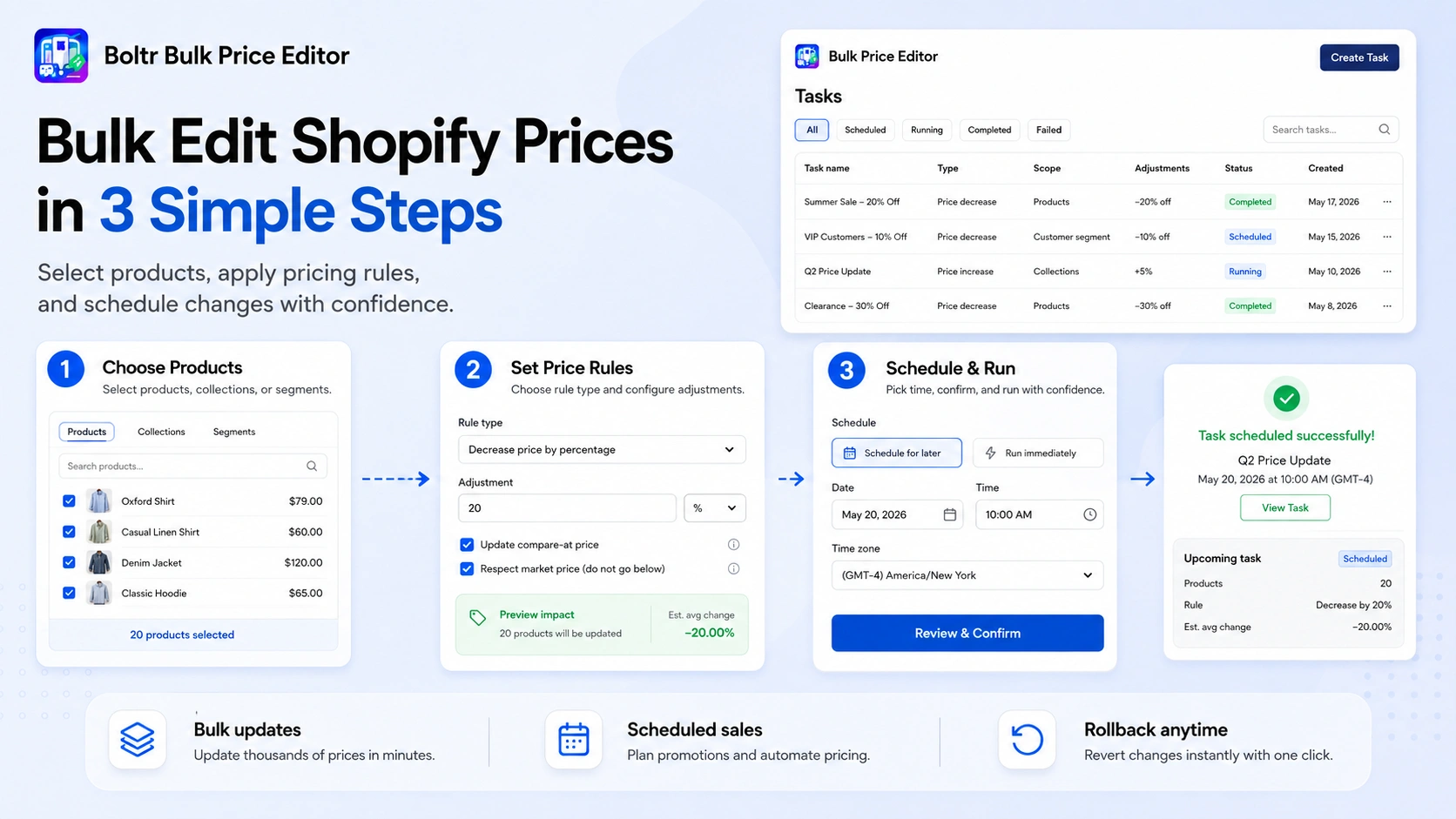
Instead of covering several different methods, this guide focuses on one practical workflow: using Boltr Bulk Price Editor. The app is built for merchants who want to make price changes at scale while keeping the process organized and reversible.
- Open Boltr Bulk Price Editor Install Boltr from the Shopify App Store and open it from your Shopify admin. The app is embedded in Shopify, so your bulk pricing work stays inside the store admin workflow.
- Choose what you want to update Create a bulk pricing task and choose the pricing field you need to change. Boltr supports product prices, compare-at prices, costs, and Shopify market prices.
- Select the products that should change Apply the task across your store or narrow it to specific products, variants, collections, tags, or sale filters. This lets you create targeted price campaigns instead of changing unrelated products.
- Set the price adjustment Configure the price change needed for the campaign. Depending on the task, this can include percentage-based or fixed price changes, making it easier to create consistent pricing rules across many products.
- Run now or schedule the change Apply the change immediately when you need a quick update, or schedule it with a start and end time for a planned sale or pricing campaign.
- Track the task and restore prices when needed Use task logs to review your bulk pricing activity. If a campaign ends or a price change needs to be corrected, Boltr includes rollback tools to restore previous values.
That is the main workflow. Instead of repeating manual edits across the Shopify catalog, you define the pricing rule once, choose the products it should affect, and let the bulk task handle the changes.
What Can You Bulk Edit with Boltr?
A strong bulk price editing workflow is not only about changing the standard product price. Shopify merchants often work with several price fields and different sales scenarios. Boltr brings these common pricing jobs into one app.
Product prices: Increase, decrease, or update prices across many Shopify products without opening each product page individually.
Variant prices: Apply pricing changes to product variants when different sizes, colors, packs, or configurations have their own prices.
Compare-at prices: Bulk update the original/reference price used to present a product as being on sale. Shopify requires the compare-at price to be higher than the current price for the sale comparison to display.
Product costs: Update cost values in bulk when supplier costs or internal product costs change.
Shopify Markets prices: Manage market pricing when your store sells internationally and needs different fixed or market-specific product prices.
Bulk Change Shopify Prices by Percentage or Fixed Amount
One of the most common reasons merchants search for a Shopify bulk price editor is simple: they do not want to calculate every new price manually.
Imagine you have 400 products in a seasonal collection and want to reduce their prices by 15%. Editing each item individually means repeating the same calculation and update hundreds of times. With a bulk pricing rule, you define the adjustment once and apply it to the selected products.
The same approach works when costs increase. If a supplier price change requires you to raise a group of products by a percentage or a fixed amount, a bulk task gives you a consistent way to apply that change.
This is especially useful for:
- Seasonal markdowns and clearance campaigns
- Cost-based price increases
- Collection-wide promotions
- Tagged product group price updates
- Flash sales and limited-time promotions
- Storewide price adjustments
Bulk Edit Compare-at Prices for Shopify Sales
Compare-at pricing is an important part of Shopify sale presentation. Shopify explains that when a product is discounted, the Compare-at price can hold the original price while the Price field holds the new sale price. The compare-at value must be higher than the current price for the sale comparison to display.
For a large catalog, updating both fields manually can create unnecessary work. Boltr can bulk edit compare-at prices alongside product pricing, which makes it useful when preparing a large sale where customers should clearly see the original price and the reduced price.
For example, instead of opening 200 products to create a 20% sale, you can define the products that belong to the campaign, apply the pricing rule, and update the relevant sale pricing in bulk.
SEO takeaway: Boltr is not only a Shopify bulk price changer. Its value is the combination of targeting, scheduling, compare-at editing, Markets pricing, task history, automatic re-apply rules, and rollback in one pricing workflow.
Schedule Shopify Price Changes Before Your Sale Starts
Bulk editing becomes much more useful when price changes do not have to be launched manually at the exact moment a promotion begins.
With Boltr, merchants can schedule price changes with start and end times. That means a campaign can be prepared in advance rather than requiring someone to log in and change prices when the sale begins.
This is useful for campaigns such as:
- Black Friday and Cyber Monday
- Christmas and holiday sales
- Weekend promotions
- Flash sales
- End-of-season clearance
- Product launch offers
- Anniversary or storewide sales
For teams managing several promotions, scheduling also reduces last-minute operational work. The pricing campaign can be set up before marketing emails, paid ads, and promotional banners go live.
Target Only the Products You Want to Change
Not every bulk price update should affect the entire catalog. A good bulk price editor needs enough targeting control to change the right products while leaving everything else untouched.
Boltr lets merchants target the whole store or work with specific products, variants, collections, tags, or sale filters. This makes it easier to build focused pricing campaigns.
Examples include:
- Reduce only products in the Summer Sale collection.
- Increase prices for products carrying a specific tag.
- Update selected variants while leaving other variants unchanged.
- Run a promotion only on products already marked for sale.
- Apply a new pricing rule to a selected product group instead of the whole store.
Start with Boltr Bulk Price Editor
Ready to Bulk Edit Shopify Prices in Minutes?
Bulk Edit Shopify Markets Prices for International Selling
International pricing adds another layer of complexity because merchants may need different prices for different markets. Shopify supports market and catalog pricing controls, including percentage price adjustments and fixed pricing in relevant configurations.
Boltr includes market price editing so merchants can manage international pricing from the same bulk price workflow. For stores selling across multiple regions, this can help reduce the time spent maintaining separate pricing changes.
This is particularly helpful when exchange-rate strategy, regional promotions, market positioning, or local pricing changes require updates across many products.
Use Rollback to Restore Previous Shopify Prices
Bulk editing is powerful, but merchants also need a way to recover from mistakes or temporary campaigns. Changing hundreds of products creates more risk if there is no simple path back to the previous values.
Boltr includes rollback tools that can restore previous product prices after a task. This is valuable when a campaign ends, when a pricing rule was configured incorrectly, or when a merchant simply needs to return to the previous pricing structure.
Rollback is especially useful for scheduled sales because the objective is often temporary: lower prices for the campaign, then restore the normal prices afterward.
Keep Prices Updated with Automatic Re-apply Rules
Catalogs do not stay static. New products can be added, product data can change, and pricing rules may need to remain consistent over time. Boltr supports automatic re-apply rules designed to keep product prices aligned with the bulk pricing task.
For merchants with ongoing pricing logic, this can reduce repeated manual work. Instead of recreating the same change each time the catalog is updated, the pricing rule can continue to support the intended pricing setup.
Track Bulk Price Changes with Task Logs
When several price updates are running across a store, visibility matters. Merchants need to know what was changed, when the task ran, and what pricing activity has already taken place.
Boltr provides task logs for reviewing bulk pricing activity. This creates a more organized workflow than relying on memory or manually tracking every change in a separate spreadsheet.
For teams, task history can also make it easier to understand past campaigns and investigate a pricing change when questions arise later.
Why Use Boltr Instead of Editing Shopify Prices One by One?
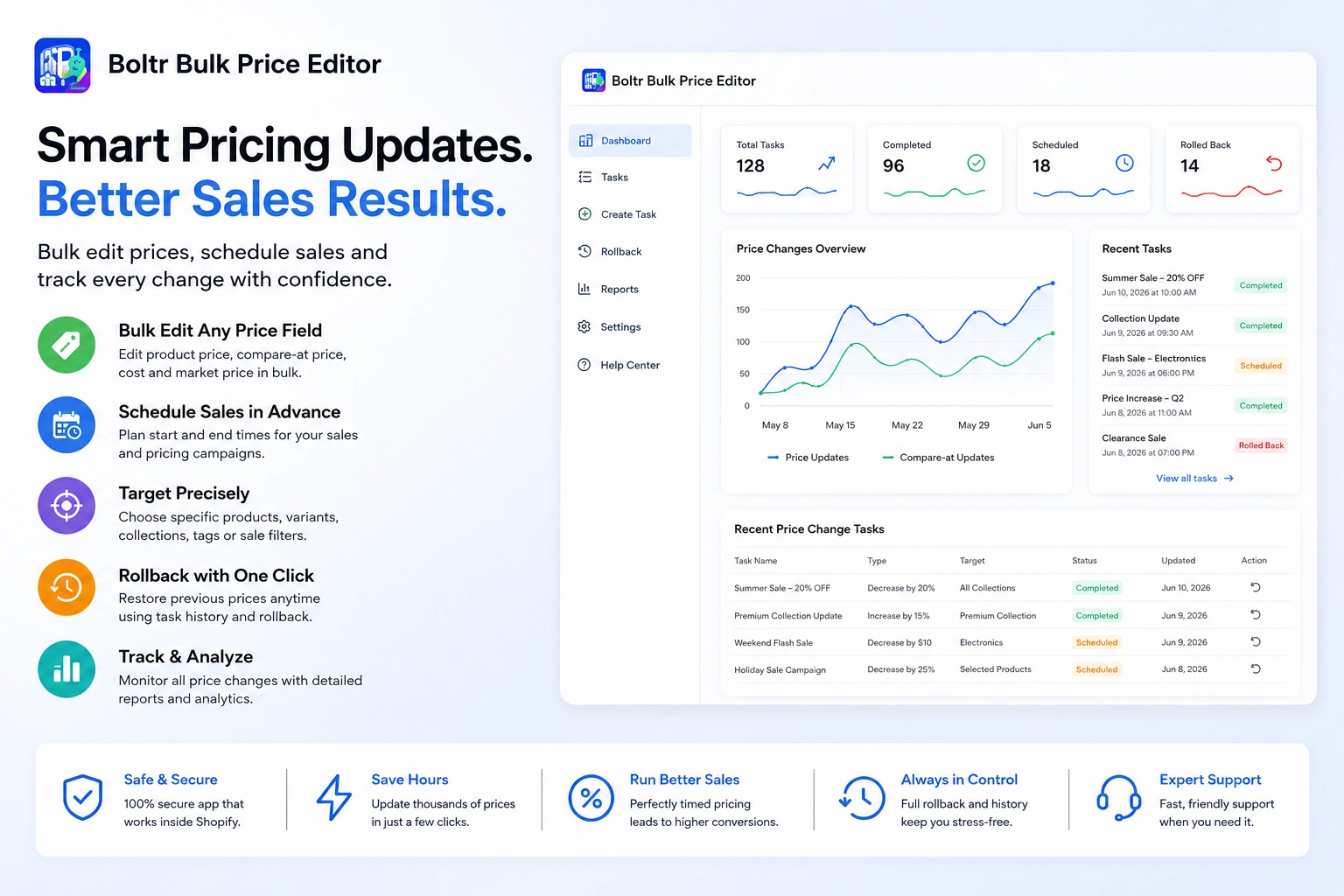
The biggest benefit is not simply that bulk editing is faster. It is that a repeatable pricing workflow can reduce the number of manual actions required for every campaign.
✓ Save time on large catalogs — Define the pricing update once instead of repeating the same edit product after product.
✓ Create consistent price changes — Percentage and fixed adjustments help apply the same rule across the selected catalog.
✓ Prepare sales in advance — Schedule pricing tasks with start and end times instead of waiting to launch a campaign manually.
✓ Control which products change — Target products, variants, collections, tags, or sale filters.
✓ Manage more than the standard price — Work with product prices, compare-at prices, costs, and market prices.
✓ Reduce the risk of permanent mistakes — Use rollback tools to restore previous values when needed.
✓ Maintain recurring pricing logic — Automatic re-apply rules help keep targeted prices updated.
✓ Keep a clearer record — Task logs make bulk price activity easier to review.
Practical Shopify Bulk Pricing Examples
Here are a few common ways a merchant could use Boltr in day-to-day store operations.
Example 1: Storewide 15% sale
Select the full store, apply a percentage decrease, schedule the sale start and end times, and restore normal pricing after the campaign.
Example 2: Clearance collection
Target a clearance collection and reduce only those products without changing the rest of the catalog.
Example 3: Supplier cost increase
Select the affected product group and increase prices using a consistent percentage or fixed adjustment.
Example 4: Compare-at pricing campaign
Update the current and compare-at pricing needed to show sale pricing across a selected group of products.
Example 5: International price update
Adjust market prices for a region without manually visiting each individual product and variant.
Example 6: Fix an incorrect bulk change
Review the task and use rollback to restore the previous values instead of manually reconstructing every old price.
Who Is Boltr Bulk Price Editor Best For?
Boltr can be useful for almost any Shopify store that changes prices regularly, but the time savings become especially noticeable as the catalog or campaign frequency grows.
- Stores with hundreds or thousands of products or variants.
- Fashion, beauty, home, electronics, and seasonal retailers running frequent promotions.
- Merchants preparing flash sales, Black Friday, Cyber Monday, or clearance campaigns.
- International stores managing Shopify Markets pricing.
- Teams that want scheduled price changes instead of manual launch-time updates.
- Merchants who want a rollback option before making large price changes.
- Stores that frequently update compare-at prices or product costs.
Frequently Asked Questions About Bulk Editing Shopify Prices
For merchants who regularly change many prices, a dedicated app such as Boltr can simplify the process: select the products, define the price rule, run or schedule the task, and review the result from the task history.
Boltr supports percentage and flat pricing adjustments, making it practical to apply the same price increase or decrease across a selected set of products.
Yes. Compare-at prices can be edited in bulk. In Boltr, compare-at prices are one of the supported pricing fields, which is useful for larger sales where original and discounted pricing need to be updated together.
Yes. Boltr supports scheduled tasks and sale price changes with start and end times, so merchants can prepare a pricing campaign before it goes live.
Boltr includes rollback tools designed to restore previous values after a bulk price task. This is useful for temporary sales and for correcting mistakes.
Yes. Boltr can target selected collections, along with products, variants, tags, sale filters, or the full store.
Boltr supports market prices, which can help international merchants manage price updates across Shopify Markets without editing each product individually.
Boltr currently offers a free plan with a monthly price-change allowance, along with paid plans for stores that need higher or unlimited price-change capacity. Check the Shopify App Store listing for the latest plan limits and pricing.
Bulk Edit Shopify Prices Faster with Boltr
Bulk price editing should remove repetitive work, not create more of it. If your store frequently updates product prices, compare-at prices, costs, or international market prices, a dedicated pricing workflow can make promotions and catalog maintenance far easier to manage.
Boltr Bulk Price Editor brings bulk price changes, targeted product selection, scheduling, automatic re-apply rules, task logs, and rollback tools together in one Shopify app. Instead of editing products one by one, you can create the pricing task once and apply it to the products that matter.
Start with Boltr Bulk Price Editor
Ready to bulk edit Shopify prices?
Install Boltr Bulk Price Editor from the Shopify App Store and create your first bulk pricing task.