

Shopify Bulk Price Editor App
Shopify Bulk Price Editor App - Edit Prices & Schedule Sales
Bulk edit product prices, compare-at prices, costs, and market prices in minutes. Update thousands of products at once, schedule changes, and keep your pricing strategy on track.
The Problem
Bulk Edit Shopify Prices Without Repetitive Manual Work
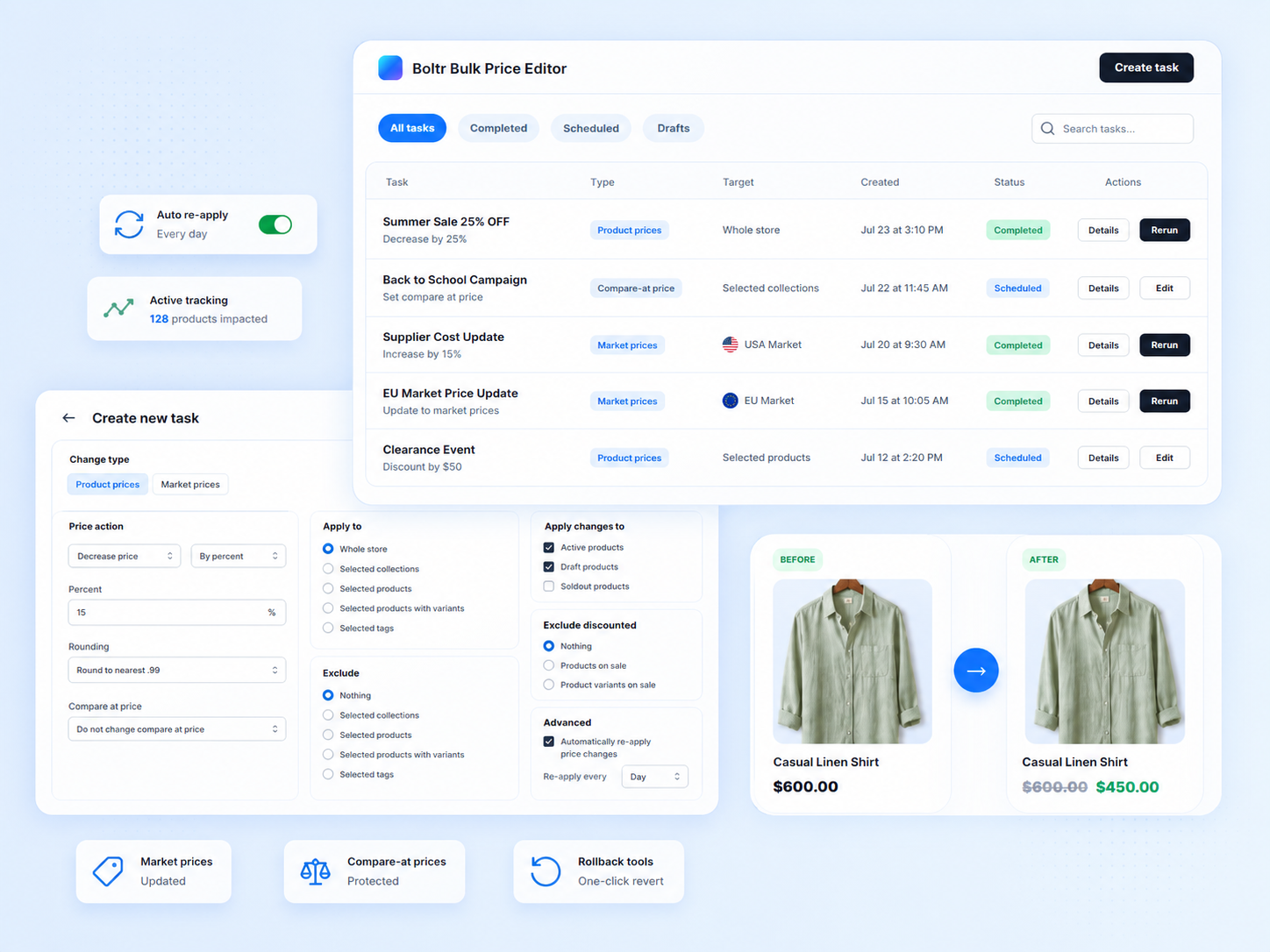
Updating prices one by one wastes time and increases the risk of mistakes. Whether it’s promotions, seasonal campaigns, supplier cost changes, or market-based pricing, manual edits slow your growth.
Manual Edits
- Open each product
- Make the change
- Save and repeat
- Easy to make mistakes
Boltr Workflow
- Edit thousands at once
- Schedule in advance
- Accurate and consistent
- Rollback when needed
Feature highlights
Everything You Need to Manage Shopify Prices in Bulk
01
Bulk Edit Product & Variant Prices
Update prices for products or variants in just a few clicks.
02
Edit Compare-at Prices in Bulk
Set or adjust compare-at prices across thousands of items.
03
Update Product Costs
Keep cost data accurate and recalculate margins easily.
04
Edit Market Prices
Manage prices by Shopify Markets and target the right regions.
05
Percentage or Fixed Changes
Increase, decrease, or set prices using percentages or fixed amounts.
06
Target the Right Products
Filter by collections, tags, products, variants, vendors, and more.
07
Scheduled Tasks
Schedule price changes for sales, launches, or campaigns.
08
Rollback & Task Logs
Review history, roll back changes, and keep your pricing safe.
How It Works
How to Bulk Edit Prices on Shopify with Boltr
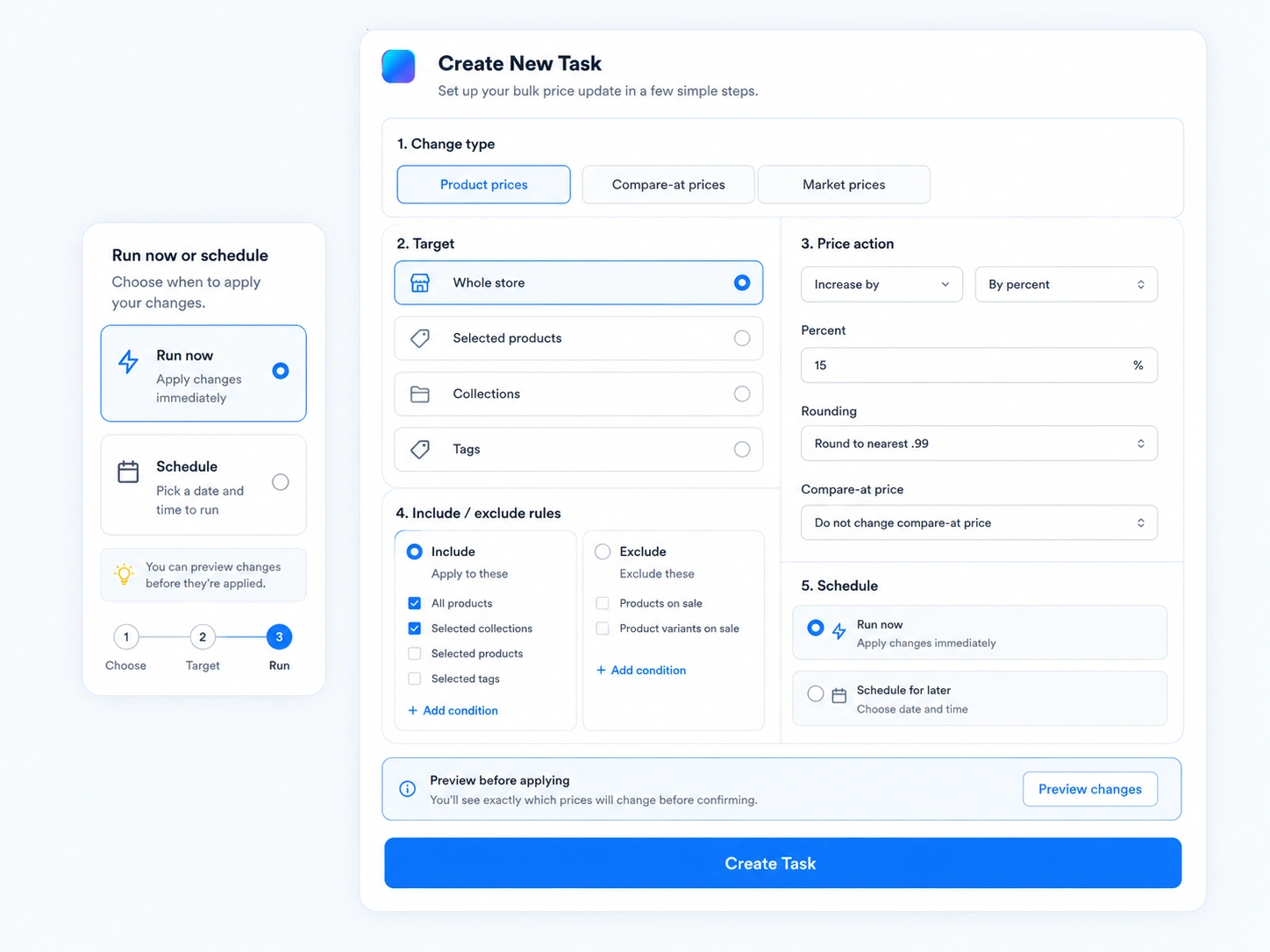
Three simple steps to update prices across your store without building a spreadsheet workflow every time.
01
Choose what you want to edit
Pick price, compare-at price, cost, or market pricing.
02
Select the products
Target products, collections, variants, tags, or markets.
03
Run now or schedule it
Apply changes instantly or schedule them for later.
Scheduled Price Changes
Schedule Shopify Sales and Price Changes in Advance
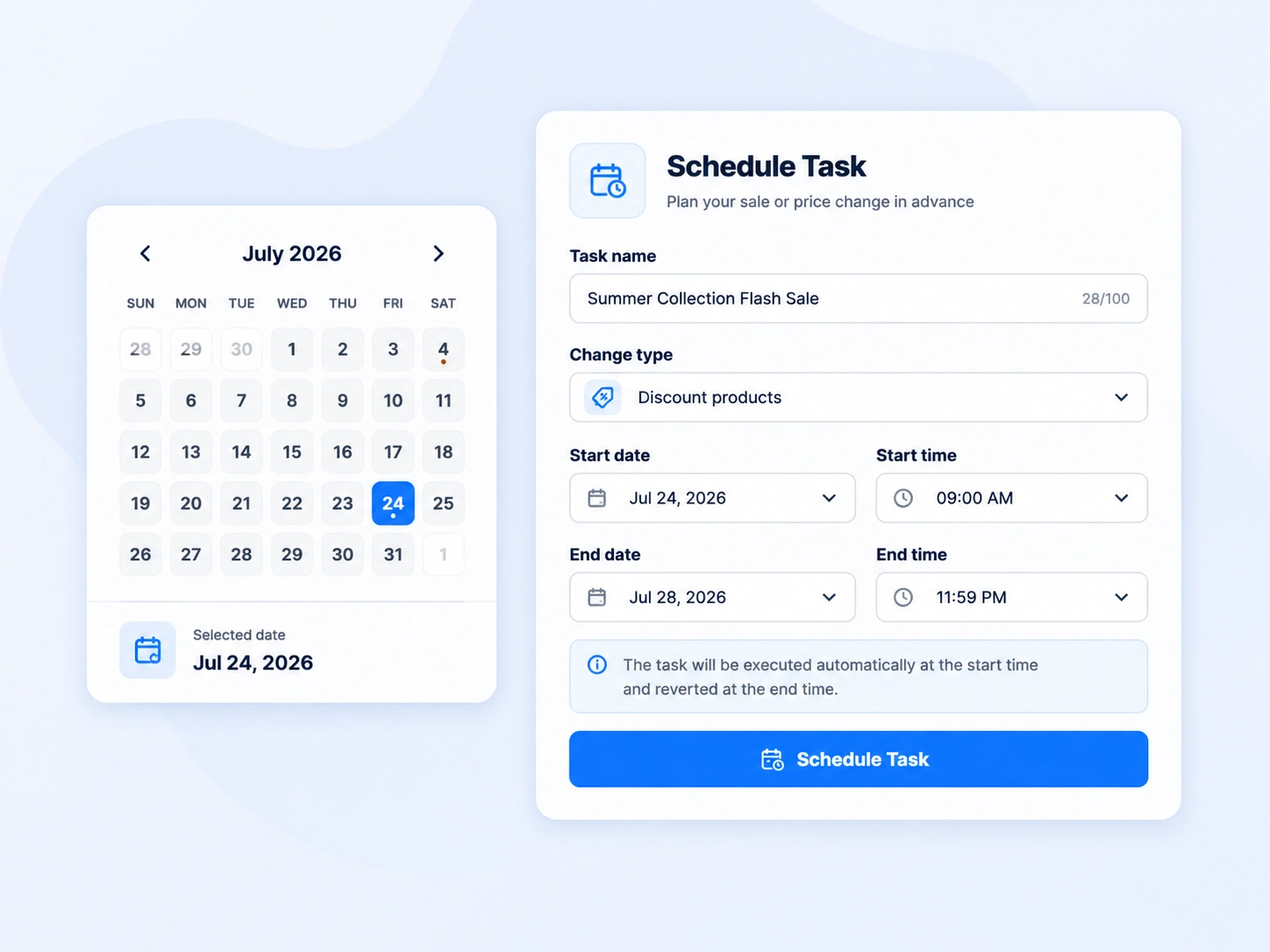
Plan your promotions with precision. Set start and end times for sales, flash deals, or seasonal events so you never miss the perfect moment to sell.
- Set future start and end times
- Automate flash sales
- Never miss campaign timing
Sale Pricing
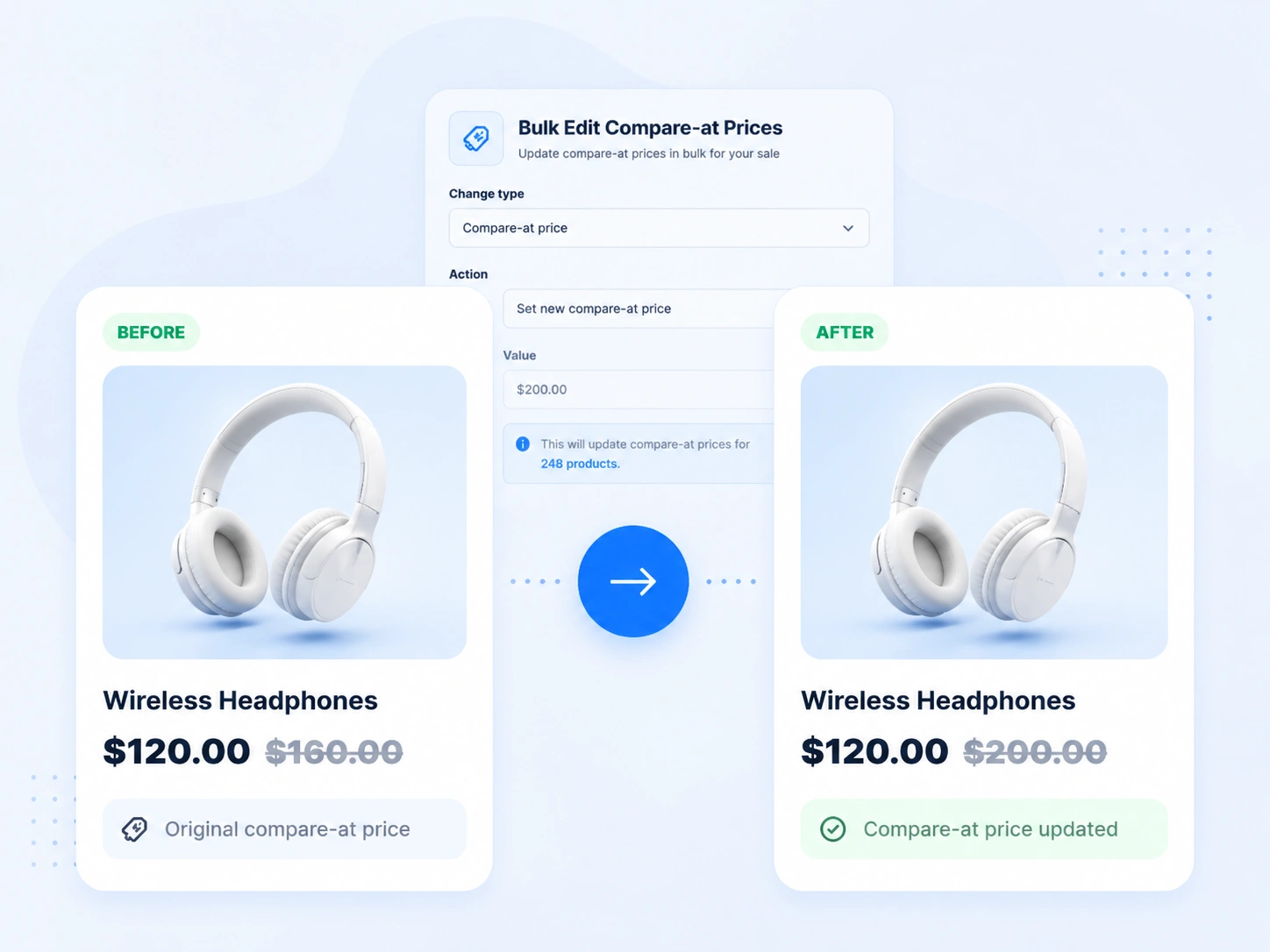
Bulk Edit Compare-at Prices for Shopify Sales
Prepare for sales the right way. Update compare-at prices in bulk so your sale pricing looks consistent and professional across your store.
Product Targeting
Change Only the Products You Want
Powerful filters help you target exactly the right items.
Specific products
Product variants
Collections
Product tags
Sale-focused filters
Market pricing
Shopify Markets
Manage Shopify Markets Pricing More Efficiently
Prepare for sales the right way. Update compare-at prices in bulk so your sale pricing looks consistent and professional across your store.
- Update prices by market
- Support local currency pricing
- Maintain consistent margins

Workflow Control
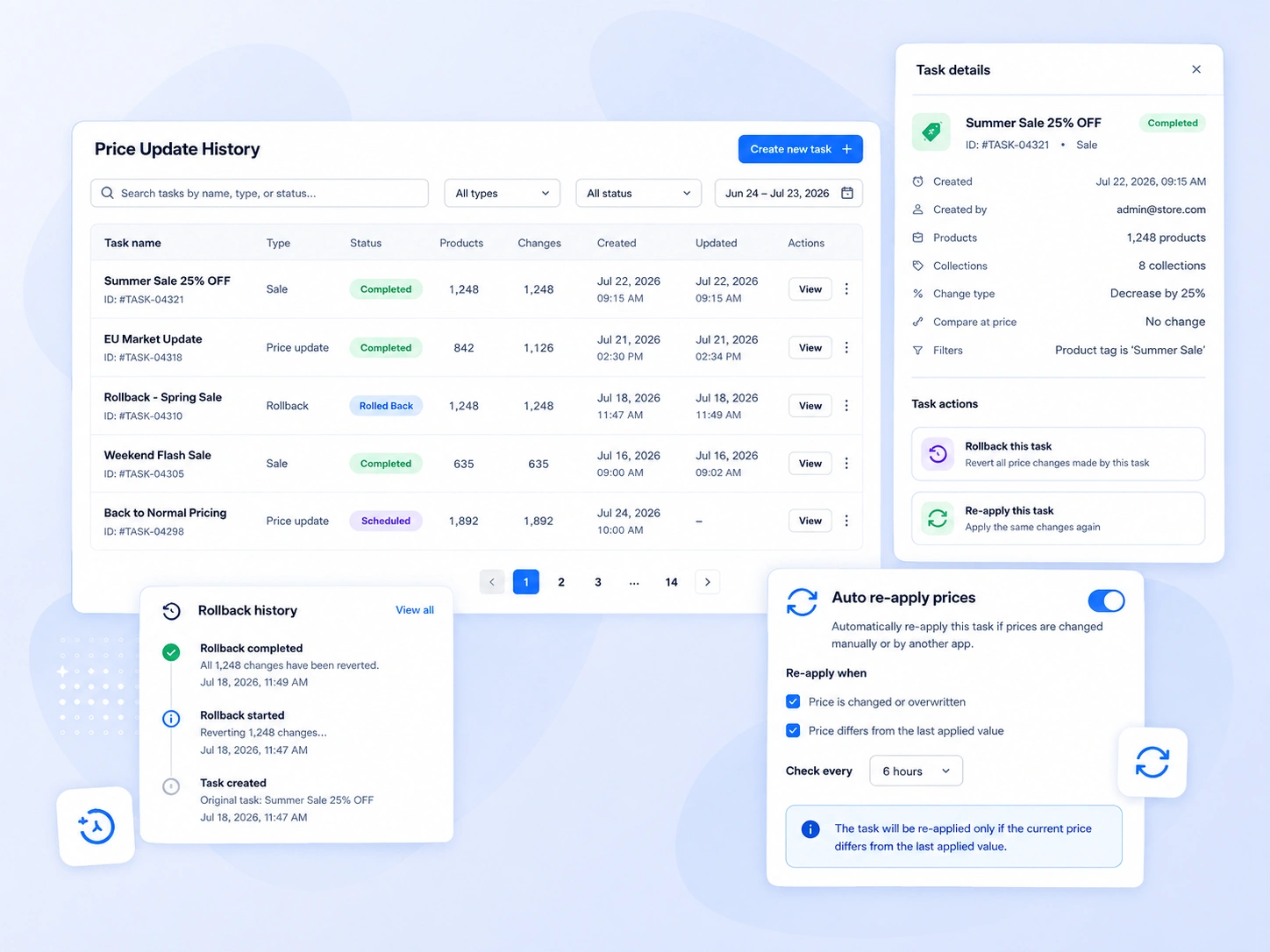
Run Bulk Price Changes with More Control
- Rollback price changes — revert any task when needed.
- Review task logs — track every change with history.
- Auto re-apply updates — keep your pricing accurate over time.
Use Cases
Built for Everyday Shopify Pricing Use Cases
From small stores to large catalogs, Boltr fits your workflow.
Seasonal & Holiday Sales
Update prices for products or variants in just a few clicks.
Storewide Price Updates
Update prices across your entire store in minutes.
Collection-Level Promotions
Run targeted campaigns on specific collections.
Supplier Cost Changes
Reflect cost changes quickly and protect margins.
Clearance Campaigns
Move inventory faster with smart markdowns.
International Pricing
Manage cross-border pricing with ease.
Why Choose Boltr
Why Merchants Choose Boltr
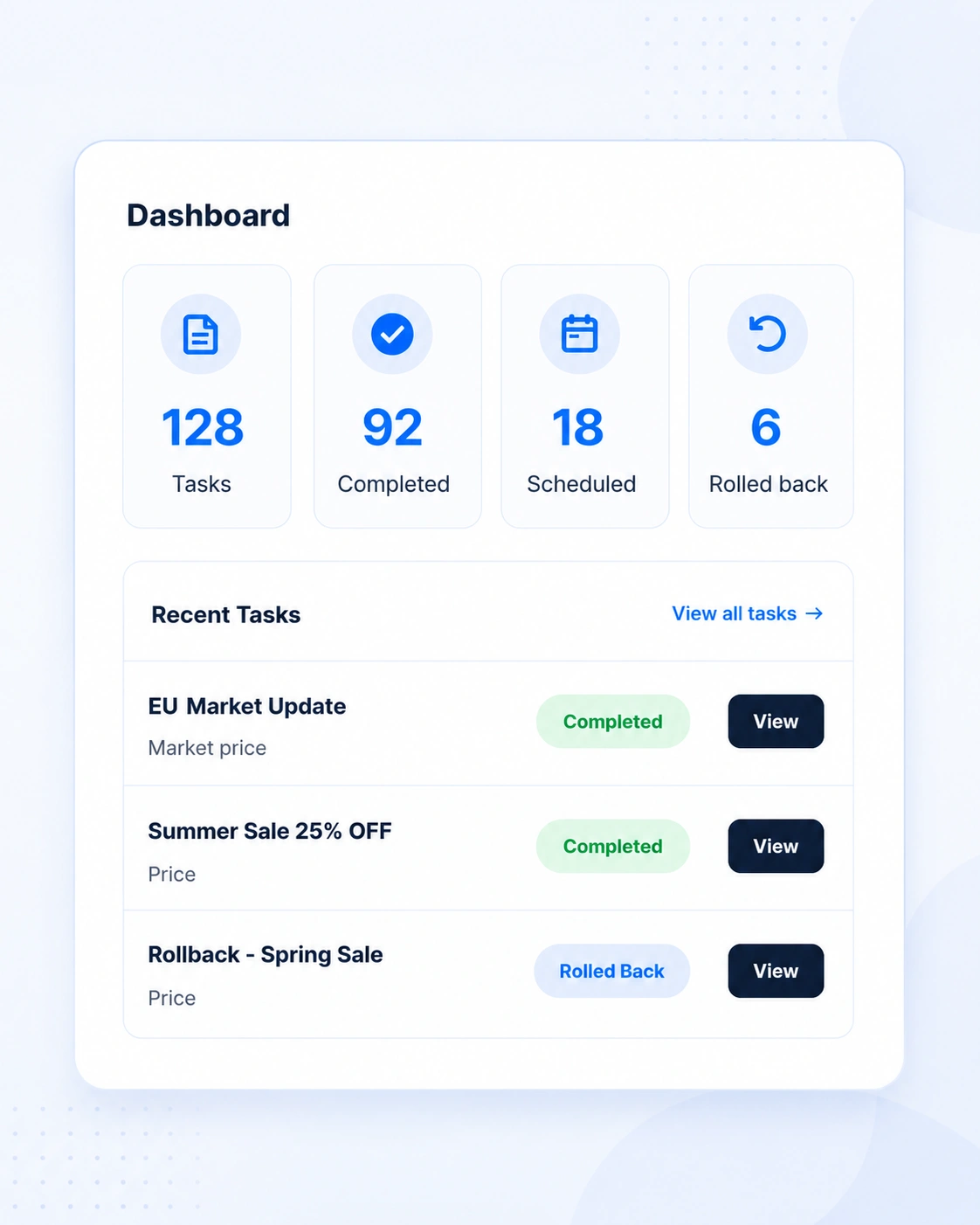
Boltr helps you manage pricing at scale with accuracy and confidence so you can focus on growing your business.
- Powerful bulk editing for any pricing need
- Targeted updates with advanced filters
- Scheduled tasks for perfect timing
- Rollback tools for peace of mind
- Reliable, fast, and built for Shopify
FAQ
Frequently Asked Questions
It lets you update prices, compare-at prices, costs, and market prices across many products at once.
Yes. You can update compare-at prices in bulk to prepare for promotional pricing.
Yes. Rollback tools help restore previous pricing when needed.
Yes. Boltr allows you to set future start and end times for pricing campaigns.
Yes. Boltr helps manage market-specific pricing across different regions.
Yes. Boltr can target selected products, variants, collections, tags, and filters.
Final CTA
Edit Shopify Prices Faster with Boltr
Bulk edit prices, schedule sales, and manage pricing changes with more control and less manual work.